Understand how 999 and 112 calls work
999 and 112 work from every phone on your Phonovo service, exactly as they would on any other phone line — but because your phones work over the internet, there are two things worth knowing: the address the emergency operator is given, and what happens if your power or internet connection goes down.
Who this is for: everyone — every user can call 999 and 112 from any phone, and admins manage the address the emergency services are given.
Before you start
- Nothing extra — 999 and 112 work on every phone on your account by default, and can never be blocked, whatever your Call Barring or Do Not Disturb settings.
- If you want to check or update the address the emergency services are given, you'll need admin access to Business Details.
Steps
- Dial 999 or 112 from any phone on your Phonovo service — a desk phone, the mobile app, or the webphone in the portal. Both numbers reach the emergency services exactly as they would from any other phone line, and they can never be blocked: they still work even with Call Barring switched on, even with Do Not Disturb on, and on every extension regardless of its calling restrictions.
- When you call, the operator is automatically given an address alongside your call — the one your company has on file, not the location the phone happens to be in at the time. A phone can be carried between offices, or used from home, and the operator is still given your company's registered address.
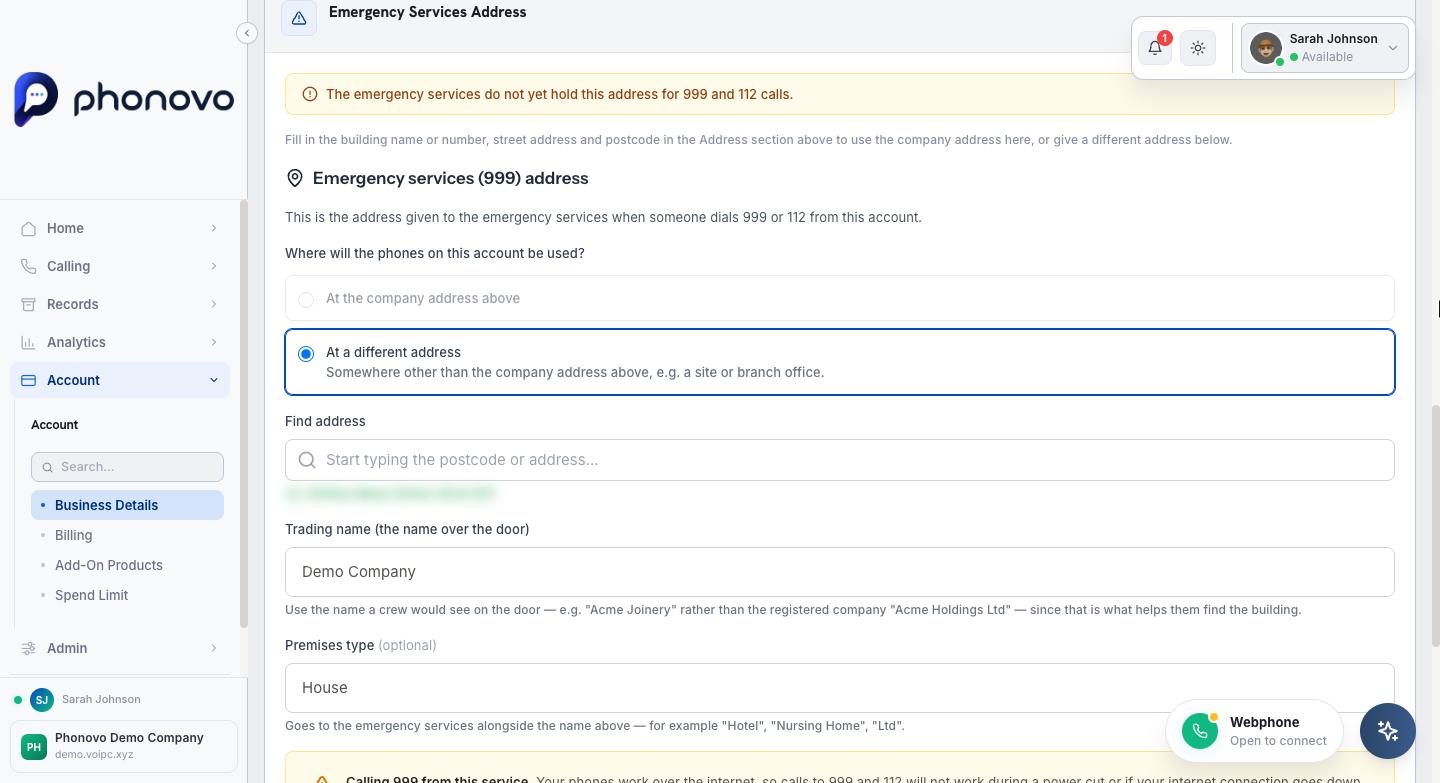
- That address lives on the Business Details page. An admin can see and update it by going, in the sidebar under Administration, to Business Details, then opening the Emergency Services Address panel. It shows the address currently held for 999 and 112 calls, and lets you choose whether your phones are used at your company's registered address or at a different address, such as a separate site or branch office.
- Enter and verify the address, then select Save Changes. The page confirms plainly whether the emergency services already hold the address shown, or whether a recent change is still on its way to them.
- If your company moves, or opens a new site, update this straight away. The address a 999 or 112 operator is given is only ever as current as the last time someone updated this page — see Set your business details.
999 and 112 need power and an internet connection
Your Phonovo phones work over the internet. In a power cut, or if your internet connection goes down, calls to 999 and 112 — like all your other calls — will not go through. Keep a mobile phone charged and available so you can always reach the emergency services.
Related
Ask Olivia
You can also ask Olivia, the in-portal assistant, to walk you through this.