Manage your privacy and personal data
Review what you've agreed to, download a copy of your personal data, or request that your account be deleted.
Who this is for: everyone — every role can manage their own privacy and data settings.
Before you start
- Nothing to set up — this is a self-service page available to every account.
Steps
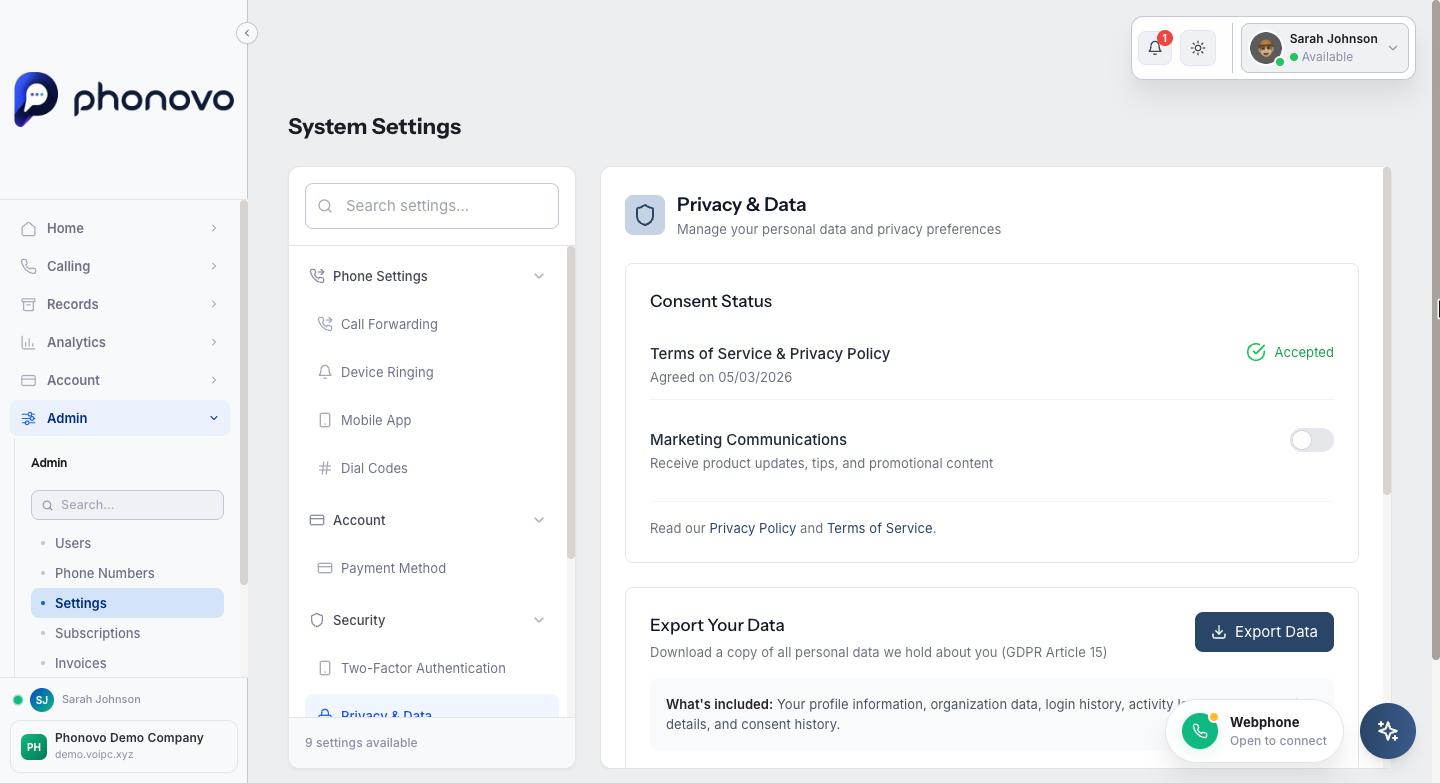
- Click your name in the top right of the portal, select Settings, then under Security in the left-hand list select Privacy & Data.
- Under Consent Status, you can see when you accepted the Terms of Service and Privacy Policy, and toggle Marketing Communications on or off depending on whether you want to receive product updates, tips, and promotional content. Links to the full Privacy Policy and Terms of Service are underneath.
- To get a copy of everything Phonovo holds about you — your profile, organization details, login history, activity logs, extension details, and consent history — select Export Data under Export Your Data. This downloads a file straight to your device.
- To submit an erasure request, select Request Account Deletion under Delete Account, then confirm by selecting Yes, Submit Deletion Request. The request immediately disables your account and signs you out. The signed-out page shows the response deadline and cancellation email once. The privacy team will review the request and respond within one month; the current request flow does not schedule automatic deletion. If the receipt says not every active session could be confirmed closed, the request was still recorded — do not submit it again.
- To cancel while the request is pending, email privacy@phonovo.io. Staff will verify your identity before a SuperAdmin cancels the pending request and restores access. You cannot return to this authenticated page while the account is disabled.
- The Your Data Rights section at the bottom summarizes your rights under GDPR — access, correction, erasure, and withdrawing consent — and gives a contact email for anything not covered by the tools on this page.
Related
Ask Olivia
You can also ask Olivia, the in-portal assistant, to walk you through this.